카메라 이미지에 있는 물체에서 거리값을 뽑아내야한다
전통적인 방식으로는 opencv라이브러리를 사용하고 카메라 캘리브레이션해서 하는 뭐 그런 방법이 있겠다만 한번 모델을 돌려보자
오늘 해볼 패키지는 애플에서 만든 Depth Pro이다
GitHub - apple/ml-depth-pro: Depth Pro: Sharp Monocular Metric Depth in Less Than a Second.
Depth Pro: Sharp Monocular Metric Depth in Less Than a Second. - apple/ml-depth-pro
github.com
환경은 Jetson AGX Orin이다
우선 나는 아나콘다가 안 깔려있으니 이것부터 깔아준다 이미 아나콘다나 미니콘다가 있는 사람들은 넘어가면 된다
여기 링크에서 Linux installer -> AWS Graviton2/ARM64 에 있는 명령어를 해주면 된다
Installing Anaconda Distribution — Anaconda documentation
docs.anaconda.com
wget https://repo.anaconda.com/archive/Anaconda3-2024.10-1-Linux-aarch64.sh
bash ~/Anaconda3-2024.10-1-Linux-aarch64.sh
source ~/.bashrc
이렇게하면 바로 미니콘다의 base 로 들어와진다
깃허브에서 시키는대로 가상환경을 만들어준다
conda create -n depth-pro -y python=3.9
conda activate depth-pro

## 파이썬 버전 안 맞아서 새로 깔았음. 로컬 파이토치에 맞게 파이썬 버전 세팅할것
conda create -n depth-pro -y python=3.10
conda activate depth-pro
깃허브 가이드에는 바로 pip install -e .만 덜렁 적혀있는데 깃클론부터 해주자
git clone https://github.com/apple/ml-depth-pro.git
cd ml-depth-pro/
pip install -e .
/ml-depth-pro/pyproject.toml 에서 바꾼 파이썬 버전을 반영해주자
[project]
name = "depth_pro"
version = "0.1"
description = "Inference/Network/Model code for Apple Depth Pro monocular depth estimation."
readme = "README.md"
dependencies = [
    "timm",
    "numpy<2",
    "pillow_heif",
    "matplotlib",
]

[project.scripts]
depth-pro-run = "depth_pro.cli:run_main"

[project.urls]
Homepage = "https://github.com/apple/ml-depth-pro"
Repository = "https://github.com/apple/ml-depth-pro"

[build-system]
requires = ["setuptools", "setuptools-scm"]
build-backend = "setuptools.build_meta"

[tool.setuptools.packages.find]
where = ["src"]

[tool.pyright]
include = ["src"]
exclude = [
    "**/node_modules",
    "**/__pycache__",
]
pythonVersion = "3.10"

[tool.pytest.ini_options]
minversion = "6.0"
addopts = "-ra -q"
testpaths = [
    "tests"
]
filterwarnings = [
    "ignore::DeprecationWarning"
]

[tool.lint.per-file-ignores]
"__init__.py" = ["F401", "D100", "D104"]

[tool.ruff]
line-length = 100
lint.select = ["E", "F", "D", "I"]
lint.ignore = ["D100", "D105"]
extend-exclude = [
    "*external*",
    "third_party",
]
src = ["depth_pro", "tests"]
target-version = "py310"
사전 훈련된 모델을 다운받는다
source get_pretrained_models.sh
여기까지하니 한 7~8기가는 먹은거 같다 (제대로 확인 안 했음 주의)
그다음은 테스트 이미지를 실행하면 되는데 한세월이 걸리길래 코드를 까보았다
# Run prediction on a single image:
depth-pro-run -i ./data/example.jpg
# Run `depth-pro-run -h` for available options.
혹시나 해서 터미널창에 torch.cuda.is_available을 쳐서 확인했다.. 하지만 쎄한건 역시나
아나콘다 가상환경이라 로컬에 깔린 파이토치를 인식을 못했나보다 그냥 다시 깔아주자
PyTorch for Jetson
Below are pre-built PyTorch pip wheel installers for Jetson Nano, TX1/TX2, Xavier, and Orin with JetPack 4.2 and newer. Download one of the PyTorch binaries from below for your version of JetPack, and see the installation instructions to run on your Jetson
forums.developer.nvidia.com
아래 명령어로 jetpack 버전을 확인해준
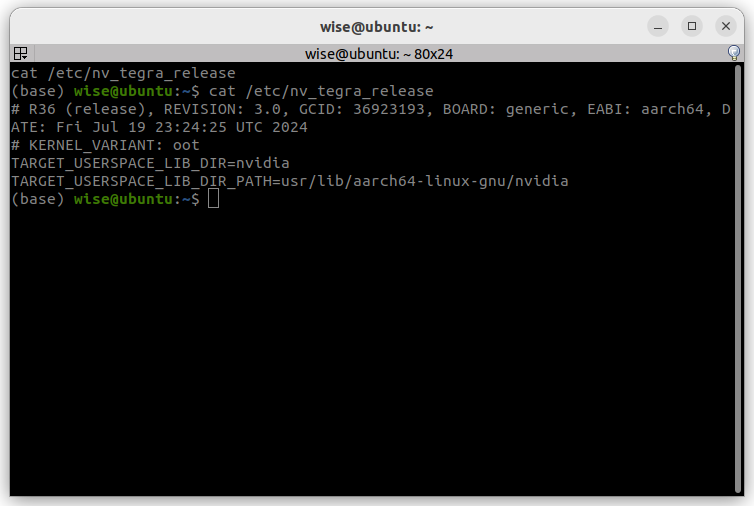
파이썬 버전 안맞아서 그런거였다 이거 때문에 3시간 썻다
혹시나 로컬 환경에 파이토치 안 깐 사람들은 저위 링크로 깔아주자! 이미 깐 사람들은 안 해도 된다
테스트 결과값이다
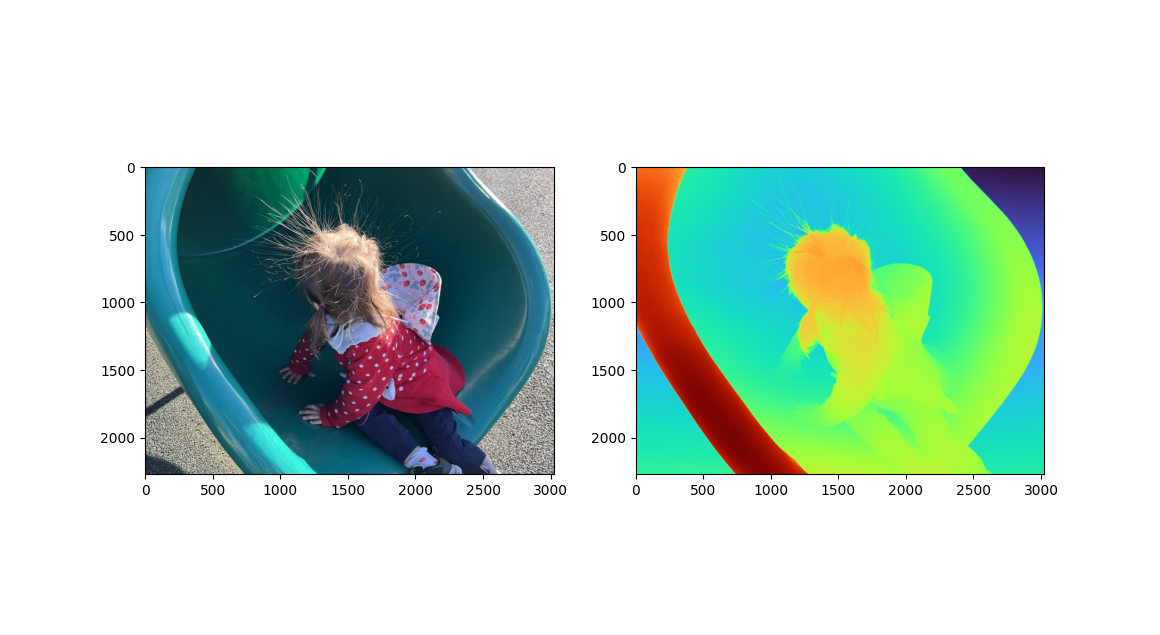
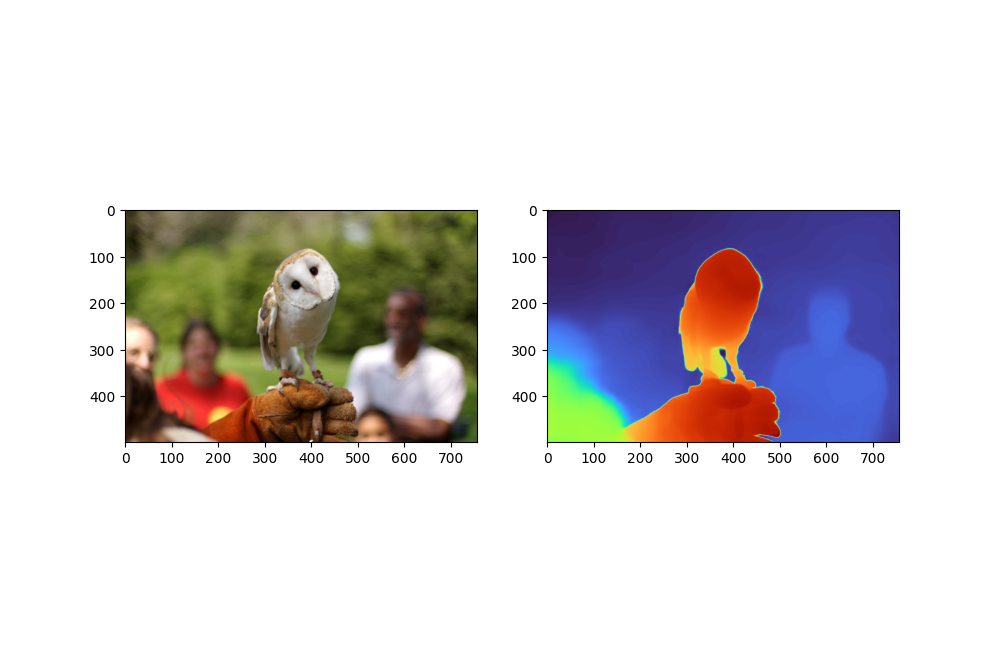
owl 모델 테스트 이미지였던 부엉이도 잘된다
이제 cli로 돌리는게 아닌 파이썬 코드로 돌려보자
import torch
from PIL import Image
from torchvision import transforms
import matplotlib.pyplot as plt
from depth_pro.depth_pro import DepthProConfig, create_model_and_transforms

# 모델 설정을 위한 기본 config
config = DepthProConfig(
    patch_encoder_preset="dinov2l16_384",
    image_encoder_preset="dinov2l16_384",
    checkpoint_uri="/home/wise/ml-depth-pro/checkpoints/depth_pro.pt",  # 적절한 체크포인트 경로 설정
    decoder_features=256,
    use_fov_head=True,
    fov_encoder_preset="dinov2l16_384"
)

# 모델 로드 및 변환
device = torch.device("cuda" if torch.cuda.is_available() else "cpu")

# 모델과 변환 로드
model, transform = create_model_and_transforms(config, device)

# 이미지 경로 설정
image_path = "/home/wise/ml-depth-pro/bus.jpg"  # 테스트할 이미지 경로로 변경
image = Image.open(image_path).convert("RGB")

# 이미지 변환
input_tensor = transform(image).unsqueeze(0).to(device)  # 배치 차원 추가

# 모델을 평가 모드로 설정
model.eval()

# 추론
with torch.no_grad():
    depth_map = model.infer(input_tensor)

# 결과 출력
depth = depth_map['depth']
print(f"Depth map shape: {depth.shape}")
print(f"Depth values: {depth}")

# Depth map 시각화
plt.imshow(depth.cpu(), cmap='plasma')
plt.colorbar()
plt.title('Predicted Depth Map')
plt.show()
모델 가중치, 사진 경로, import 경로를 잘 맞춰주자
나는 파이썬 파일을 ml-depth-pro/src에 작성하였다
이제 yolov11에서 찾은 객체의 거리를 depth_pro로 뽑아낼것이다
yolo는 아래 잘 설명되어있으니 깔아준다
https://docs.ultralytics.com/ko/models/yolo11/
YOLO11 🚀 신규
다양한 컴퓨터 비전 작업에 탁월한 정확성과 효율성을 제공하는 최첨단 물체 인식의 최신 기술인 YOLO11 을 살펴보세요.
docs.ultralytics.com
이 글에 있는 코드를 돌렸다 근데 넉달 사이에 함수 구조라던가 그런게 좀 달라졌는데 그대로는 안 돌아가고 조금씩 수정을 하였다
Combining YOLO11 and Depth Pro for Accurate Distance Estimation (Part Two)
In the first part of our article, we explored Apple’s “Depth Pro”, a powerful monocular depth estimation model that leverages AI to…
medium.com
import torch
from PIL import Image
from torchvision import transforms
import matplotlib.pyplot as plt
from depth_pro.depth_pro import DepthProConfig, create_model_and_transforms
from depth_pro.utils import load_rgb

import numpy as np
import cv2
from ultralytics import YOLO
# Load YOLOv11 model and process image
yolo_model = YOLO('/home/wise/ml-depth-pro/yolo11n.pt') # Ensure you have the correct model file path
image_path = '/home/wise/ml-depth-pro/bus.jpg'
yolo_input = cv2.imread(image_path)
results = yolo_model(yolo_input)

# Detect bus and get bounding boxes
bus_boxes = []
for result in results:
    boxes = result.boxes.xyxy.cpu().numpy() # Get bounding boxes
    classes = result.boxes.cls.cpu().numpy() # Get class labels
for box, cls in zip(boxes, classes):
    if result.names[int(cls)] == 'bus': # Filter for bus class
        x1, y1, x2, y2 = map(int, box[:4])
        bus_boxes.append((x1, y1, x2, y2))
        cv2.rectangle(yolo_input, (x1, y1), (x2, y2), (0, 255, 0), 2) # Draw rectangle

# 모델 설정을 위한 기본 config
config = DepthProConfig(
    patch_encoder_preset="dinov2l16_384",
    image_encoder_preset="dinov2l16_384",
    checkpoint_uri="/home/wise/ml-depth-pro/checkpoints/depth_pro.pt",  # 적절한 체크포인트 경로 설정
    decoder_features=256,
    use_fov_head=True,
    fov_encoder_preset="dinov2l16_384"
)

# 모델 로드 및 변환
device = torch.device("cuda" if torch.cuda.is_available() else "cpu")

# 모델과 변환 로드
model, transform = create_model_and_transforms(config, device)

# 이미지 경로 설정
image = Image.open(image_path).convert("RGB")

# 이미지 변환
input_tensor = transform(image).unsqueeze(0).to(device)  # 배치 차원 추가

# 모델을 평가 모드로 설정
model.eval()

img, icc_profile, f_px = load_rgb(image_path)
depth_input = transform(image)

# Perform depth inference
prediction = model.infer(depth_input, f_px=f_px)
depth = prediction["depth"] # Depth in meters
# Convert depth to numpy array
depth_np = depth.squeeze().cpu().numpy()

# Calculate depth for detected bus and display on image
for x1, y1, x2, y2 in bus_boxes:
    center_x = (x1 + x2) // 2
    center_y = (y1 + y2) // 2
# Extract depth value at the center of the bounding box
    depth_value = depth_np[center_y, center_x]
    text = f'Depth: {depth_value:.2f}m'
# Define font properties
    font = cv2.FONT_HERSHEY_SIMPLEX
    font_scale = 1.2
    font_thickness = 2
    text_size = cv2.getTextSize(text, font, font_scale, font_thickness)[0]
# Set text position
    text_x = x1
    text_y = y1-10
# Create a rectangle for text background
    rect_x1 = text_x - 10
    rect_y1 = text_y - text_size[1] - 5
    rect_x2 = text_x + text_size[0] + 5
    rect_y2 = text_y + 5
# Draw the background rectangle and add text
    cv2.rectangle(yolo_input, (rect_x1, rect_y1), (rect_x2, rect_y2), (0, 0, 0), -1)
    cv2.putText(yolo_input, text, (text_x, text_y), font, font_scale, (255, 255, 255), font_thickness)

# Display bus detection with depth values
cv2.imshow('Bus Detection with Depth', yolo_input)
cv2.waitKey(0)
cv2.destroyAllWindows()
# Save the image with detection and depth annotations
cv2.imwrite('bus_detection_with_depth.jpg', yolo_input)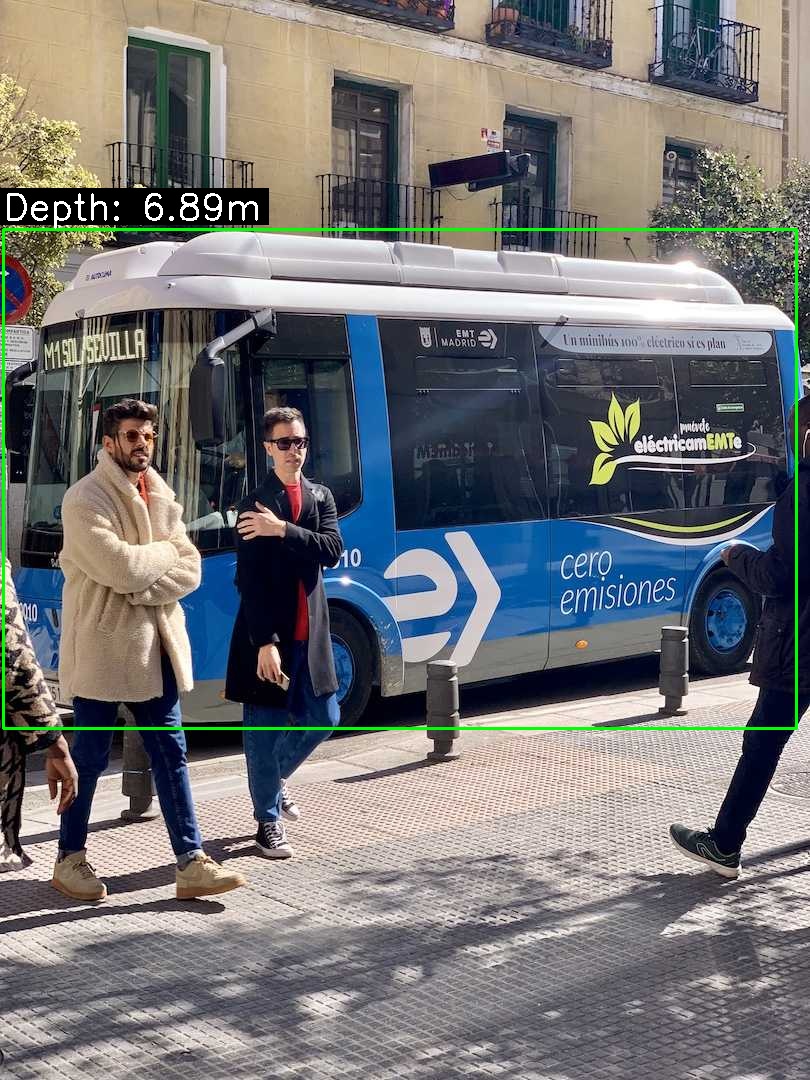
저게 정확한 거리인지는 모르겠지만 하여튼 거리값이 나온걸 볼수있다!
다만 코드 한번 돌리는데에 3분은 걸린다.. 모델 자체가 jetson agx orin에서 돌아가기 무거운것도 있지만 아마 모델 자체를 불러오는게 오래 걸리는듯하다
gpu 메모리 부족 이슈로 가중치를 cpu에서 받아오기 때문에 어쩔수없다
(이렇게 안 하면 그대로 아래 에러가 뜨게 된다)
/home/wise/.local/lib/python3.10/site-packages/torch/nn/modules/conv.py:456: UserWarning: Plan failed with a cudnnException: CUDNN_BACKEND_EXECUTION_PLAN_DESCRIPTOR: cudnnFinalize Descriptor Failed cudnn_status: CUDNN_STATUS_NOT_SUPPORTED (Triggered internally at /opt/pytorch/aten/src/ATen/native/cudnn/Conv_v8.cpp:919.) return F.conv2d(input, weight, bias, self.stride,
난 일단 위에서 말한대로 가중치를 cpu로 받아왔고 그외에도 많은 연산을 cpu에 할당하였다 이래도 부족하면 cudnn을 꺼버리거나 모델 성능 하락을 감수하고 양자화를 해야할듯 싶다
nuscenes mini 데이터셋에 있는 이미지를 바탕으로 이게 맞는 거리값인지 확인을 해보겠다


이미지 센서 크기가 1/1.8'' 이니 센서 너비는 7.1mm가 된다
코드에서 매개변수로 전달할수있는데 난 귀찮으니 그냥 depth_pro.py를 건드렸다
## 수식변경
	if f_px is None:
            f_px = 0.5 * 1600 / torch.tan(0.5 * torch.tensor(math.radians(65.68080854), dtype=torch.float))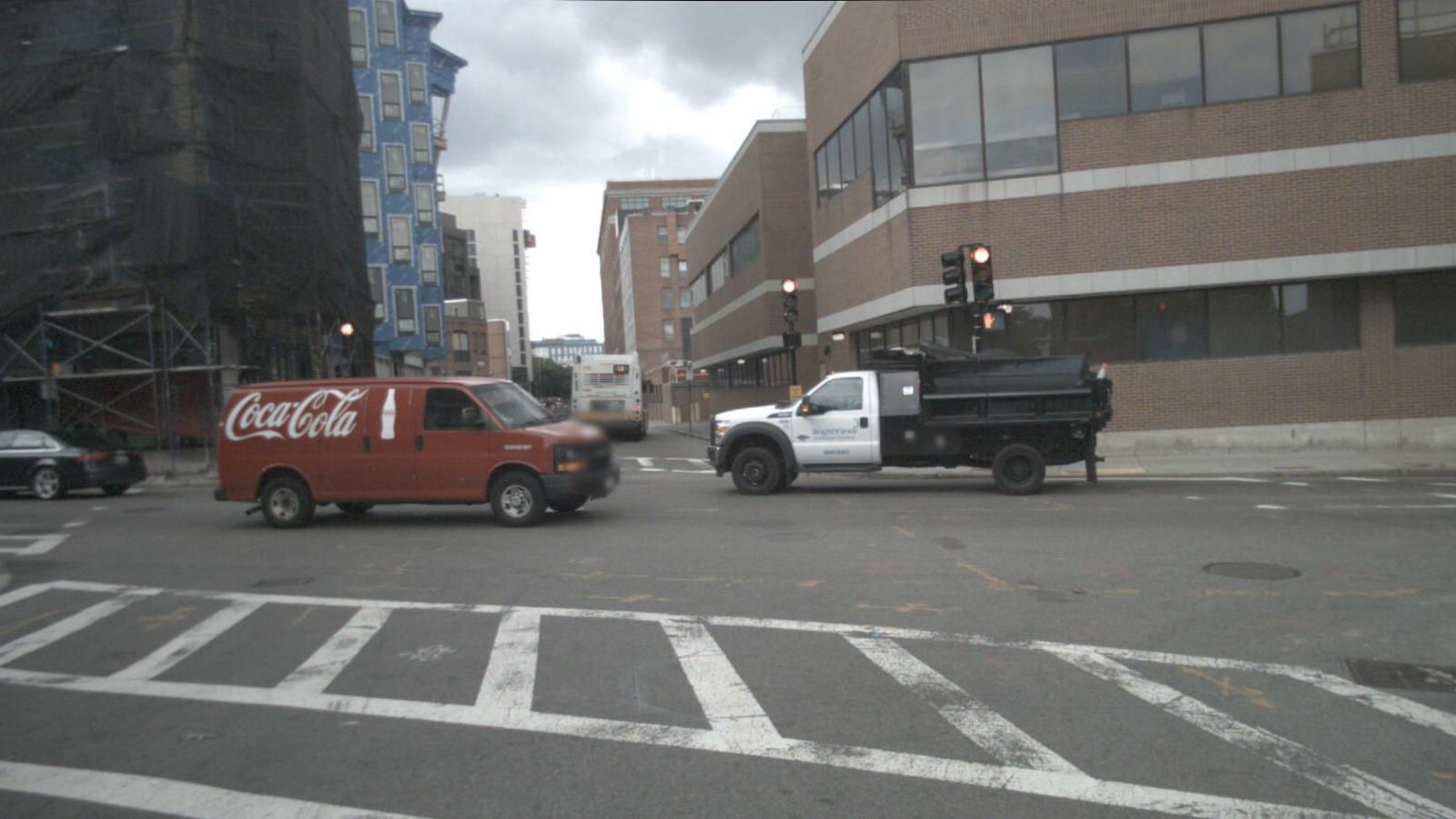

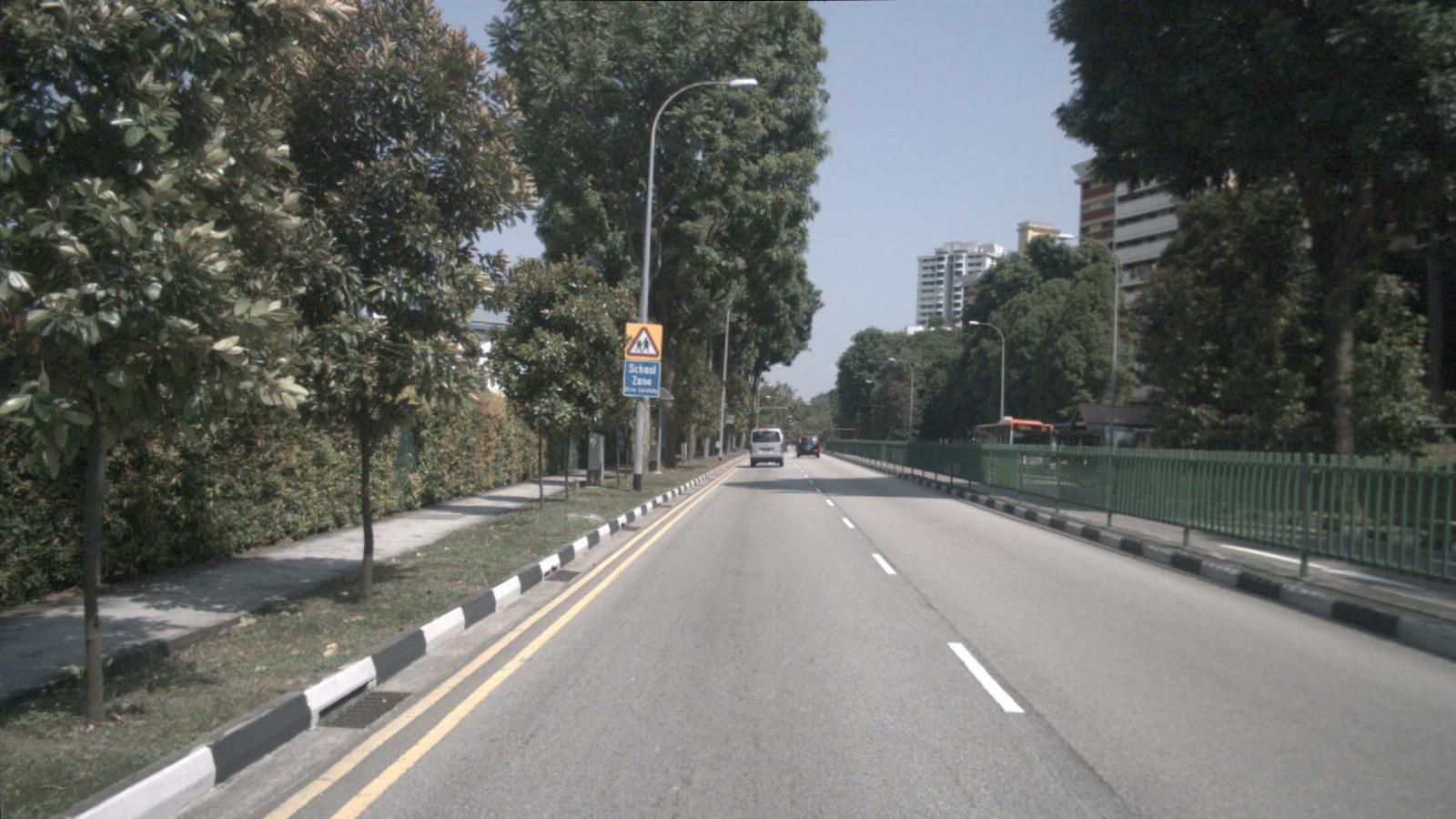
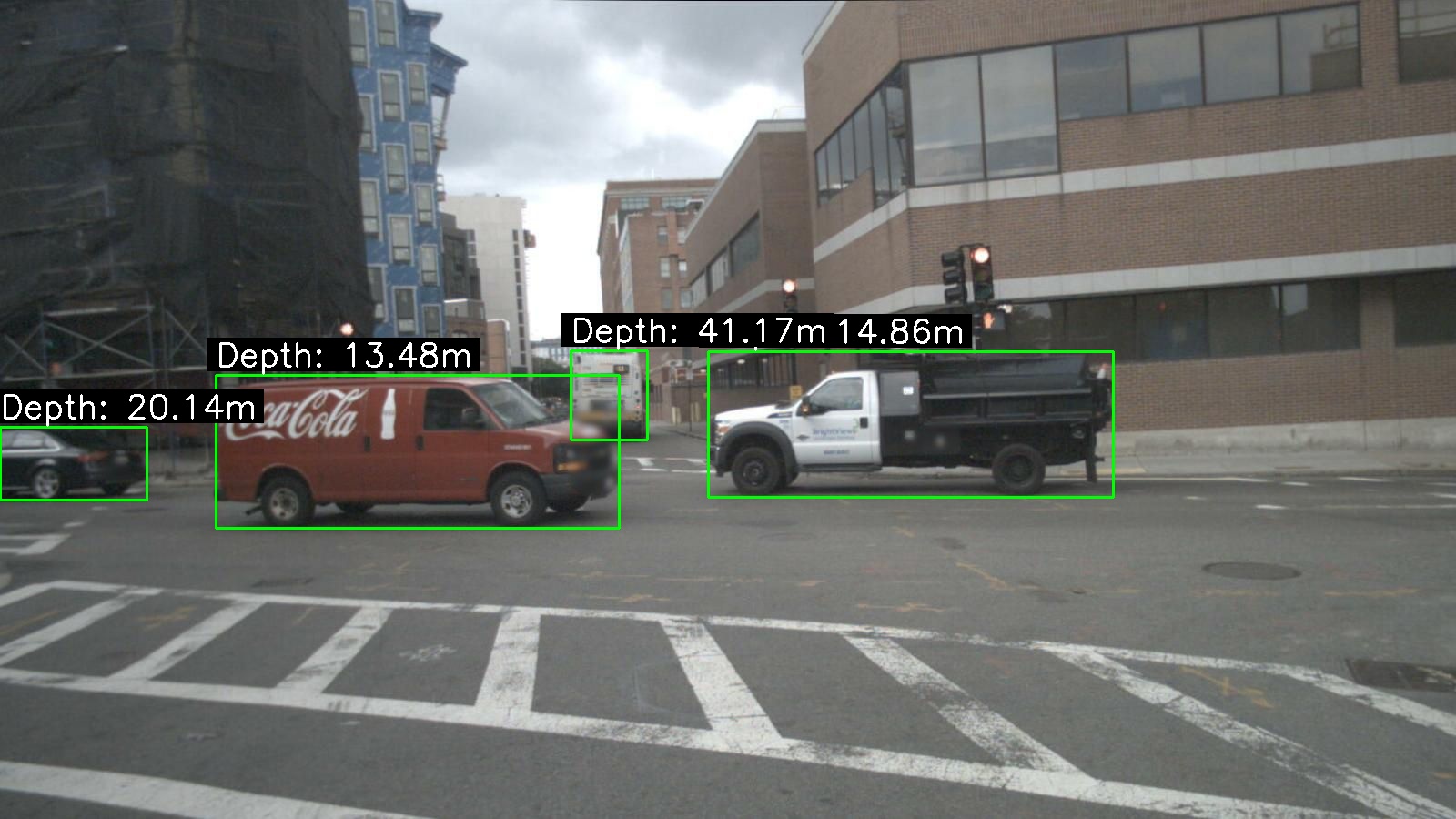
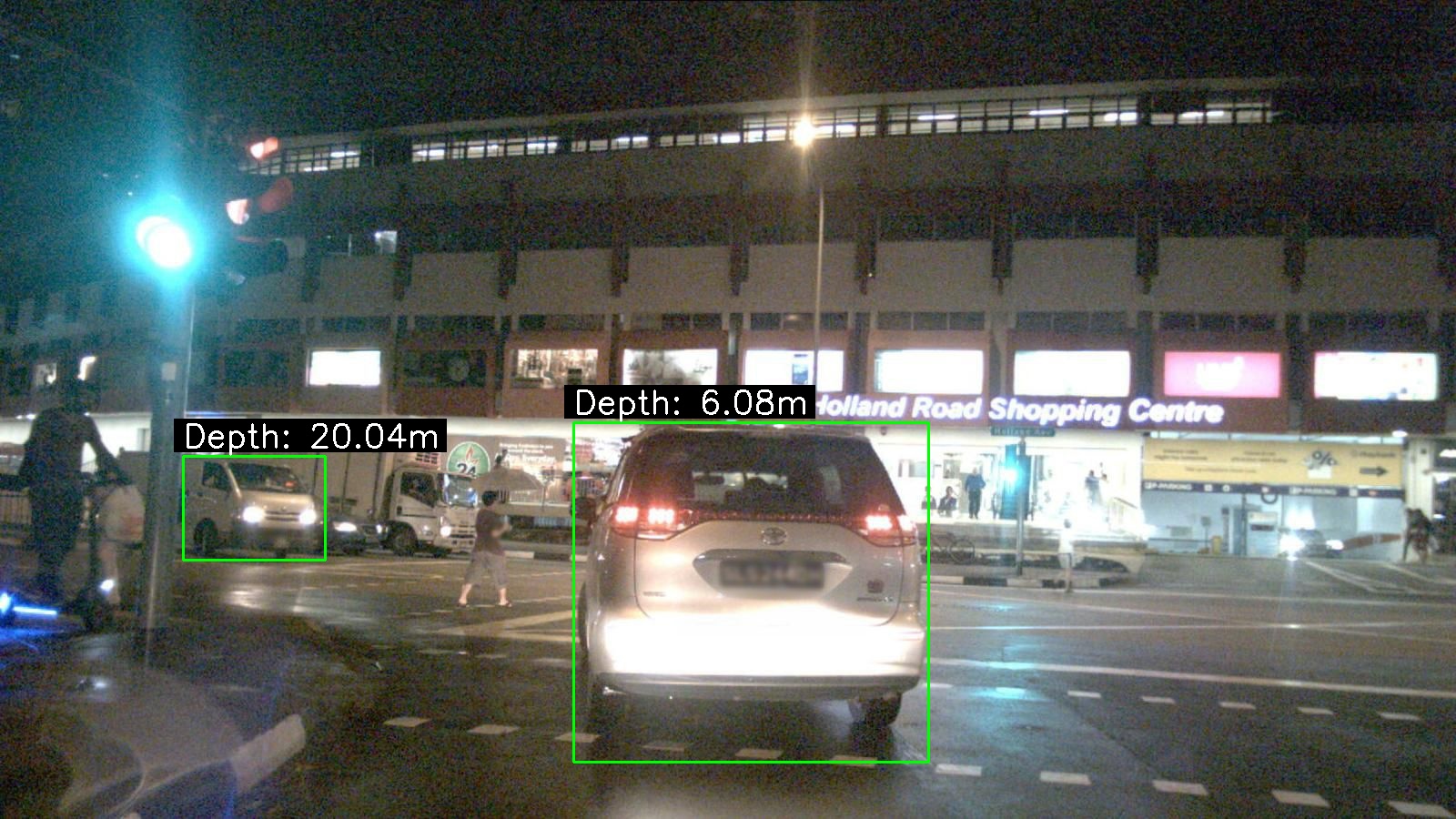
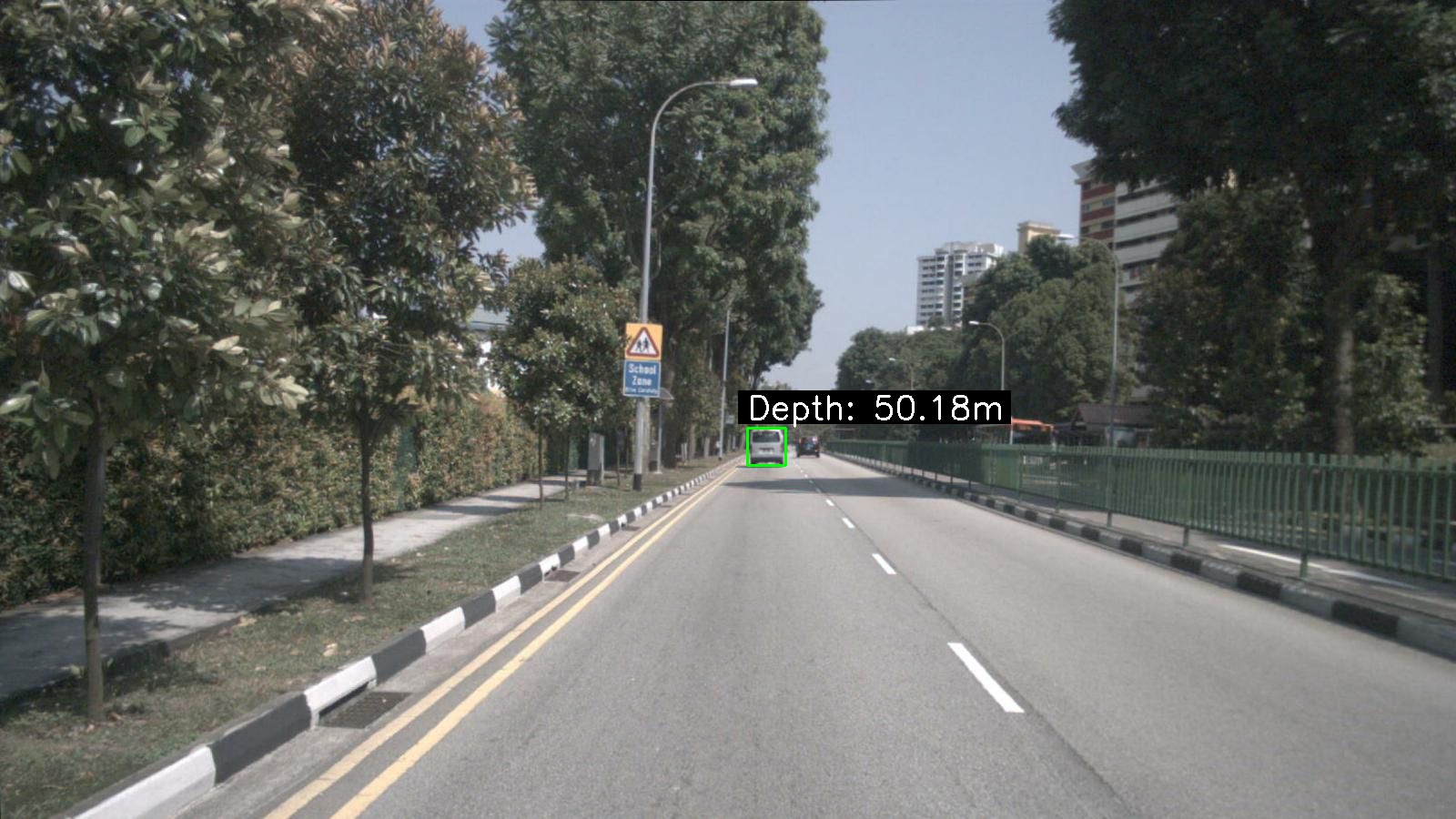

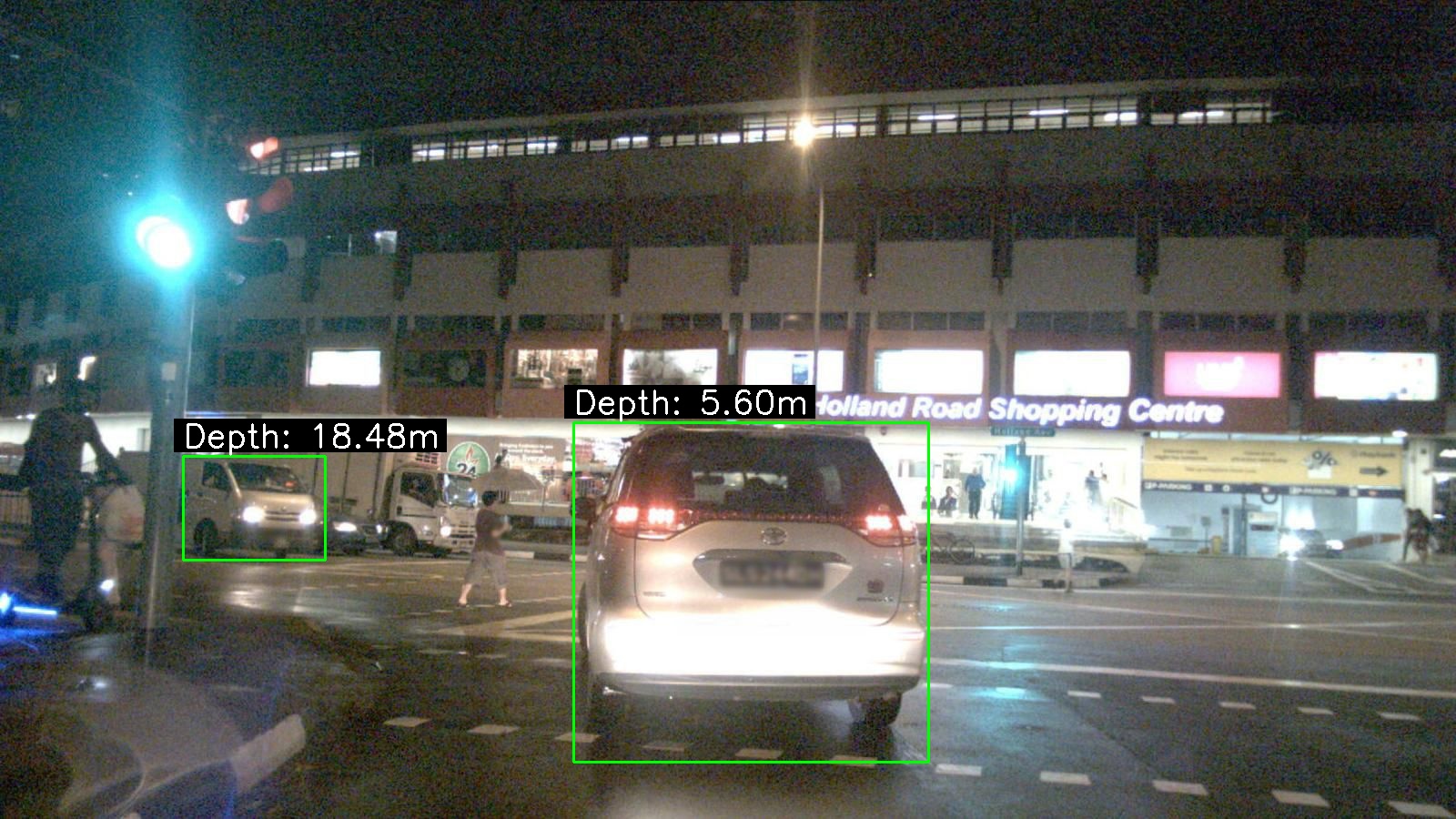
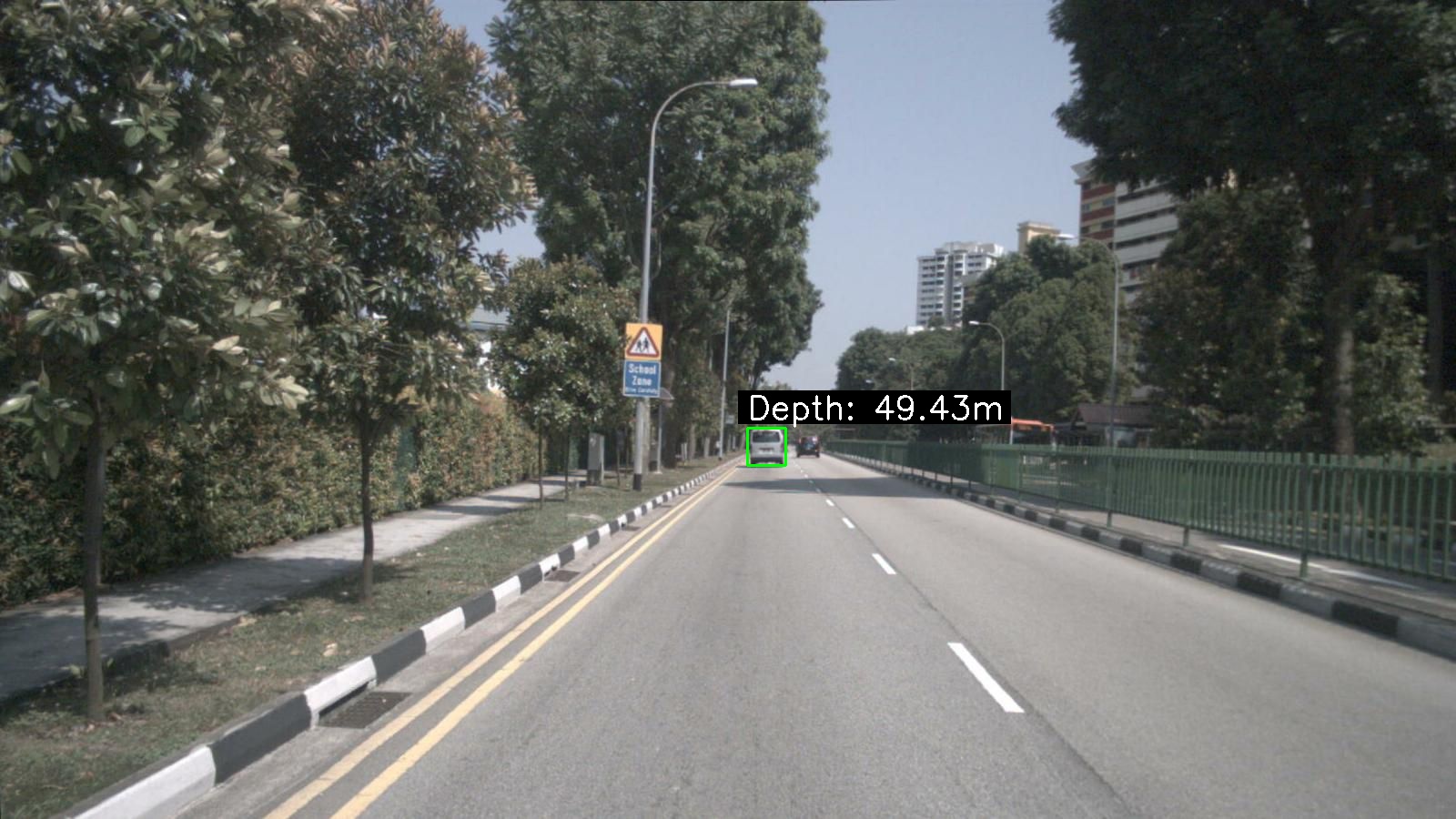
라이다 데이터(ground truth)랑 비교했을때 1~2m 정도 차이 나는듯하다
lidar-camera fusion이 제대로 안 되었거나 거리측정을 할수있는 센서가 없을때 간편하게 사용하기 좋을듯하다
'computer vision' 카테고리의 다른 글
| jetson agx orin에서 nanoowl 모델 실행하기 (0) | 2025.02.14 |
|---|---|
| yolov5 학습 외장그래픽을 사용하여 학습시키기 (0) | 2023.01.01 |
